€55.80

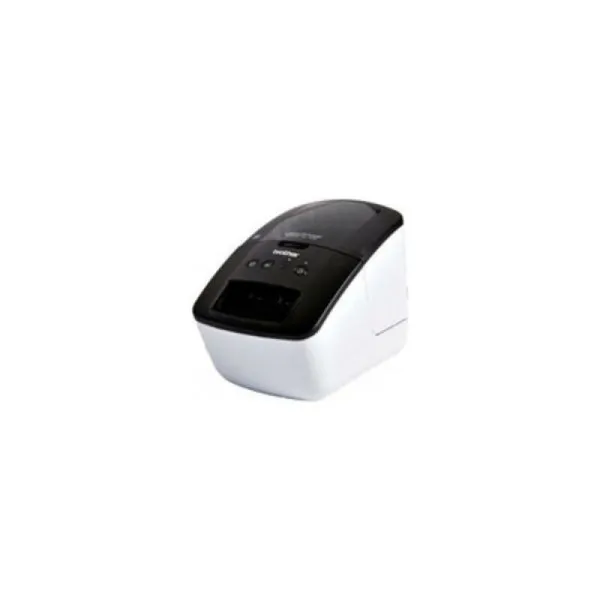
If you're passionate about IT and electronics, like being up to date on technology and don't miss even the slightest details, buy Label Printer Brother QL700RF1 White White/Black Monochrome...
Free shipping
In Estonia from 75 € of purchases
Secure payment
100% secure online payment
Easy returns
Returns possible for 14 days
Customer service
24/7 WhatsApp
The label printer Brother QL-700 is a professional desktop device designed for fast, precise label creation in offices, retail or archives, with a robust plastic body and a black and white finish that fits any workspace. It uses direct thermal printing technology, so no ink or toner is required, and prints in monochrome at 300 x 300 dpi resolution, suitable for barcodes, clear text and simple graphics. It offers a high print speed of up to 150 mm/s (approx. 93 labels per minute) and includes an automatic cutter to optimize roll usage and reduce label waste, especially useful for continuous work or long runs. It is compatible with DK label rolls and supports different widths up to about 62 mm, making it easy to create labels for envelopes, folders, parcels, internal signage or file identification. Connection is via USB with an EU plug and mains power, ensuring stable operation without batteries, and the “Plug and Label” function lets you start printing quickly without complex setup, ideal for users who need an immediate solution. In addition, the included software allows connection to databases to import lists and generate high volumes of labels with variable data efficiently. All this makes the Brother QL-700 a reliable and practical label printer for managing professional, well-organized labelling in daily use.
Professional, high-speed label printer helps you quickly tackle labeling tasks in your busy office.Create cost-effective paper labels for file folders, envelopes, packages, and DVDs –even create banners and signs up to 3-ft long. The ultra-fast print speeds of up to 93 labels per minute‡ help save time on big projects. Whether you print 1 label or multiple labels at a time, the convenient, automatic cutter speeds your job along.Use one of the two easy ways to create labels…Press the Editor Lite button to launch the intuitive, built-in Plug and Label software to quickly type and print labels without installing software‡. Or install the included P-touch® Editor label design software to create more elaborate labels.Plus, print postage and save trips to the Post Office. Print the exact postage you need, when you need it right from your desktop‡.
Data sheet